
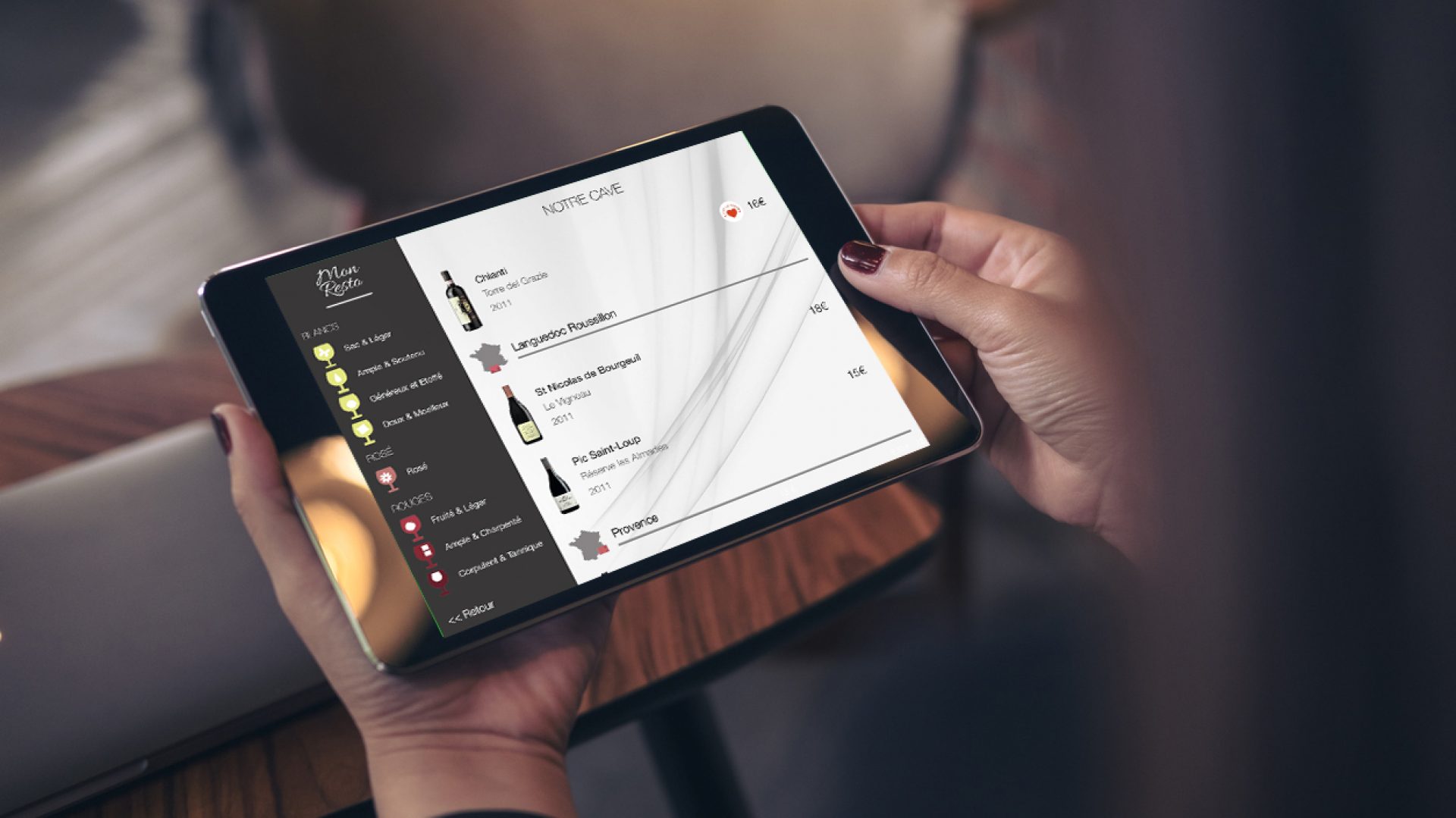
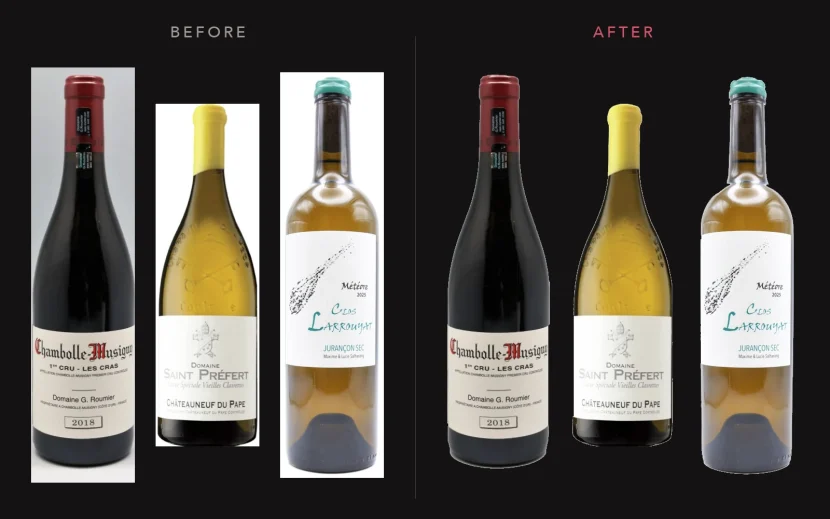
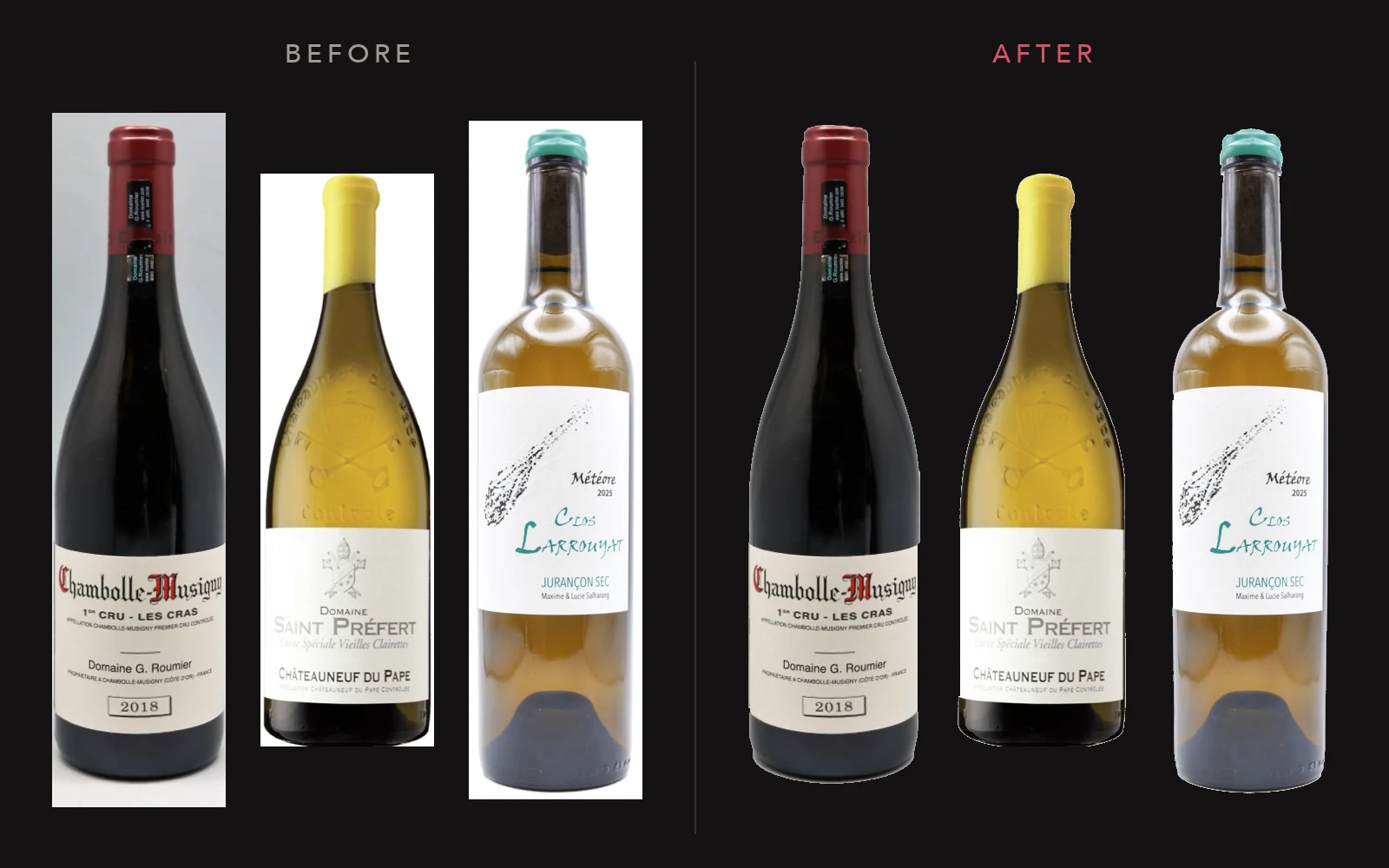
A bottle photo should show the wine and nothing else. Too often it comes with something extra: the white rectangle of the studio shot or the supplier’s catalogue. On a printed list nobody notices. On an iPad wine list the bottle sits on the list’s own background, and the white box around it is the first thing the eye catches. It looks pasted in, because it was.
The fix has always been the same: open each photo in an image editor, cut the bottle out, export it, start again with the next one. Nobody does that for a cellar of several hundred references. So the white boxes stay.
COENA customers now have a simpler option: Bottle Background Remover, a free web app that takes your bottle photos and gives them back with a transparent background, in a few seconds and under the same file names.
What it does
You give it your bottle photos, a handful or a whole folder. For each one it checks whether the bottle stands on a white or light-grey background. If it does, it removes that background and saves the photo as a transparent PNG. If the photo is already transparent, it leaves it alone.
Bottles are harder to cut out than they look. Many labels are white too, and where a white label meets the edge of the bottle, a simple tool removes part of the label along with the background. Bottle Background Remover detects these cases and rebuilds the outline of the bottle, so the label stays whole.
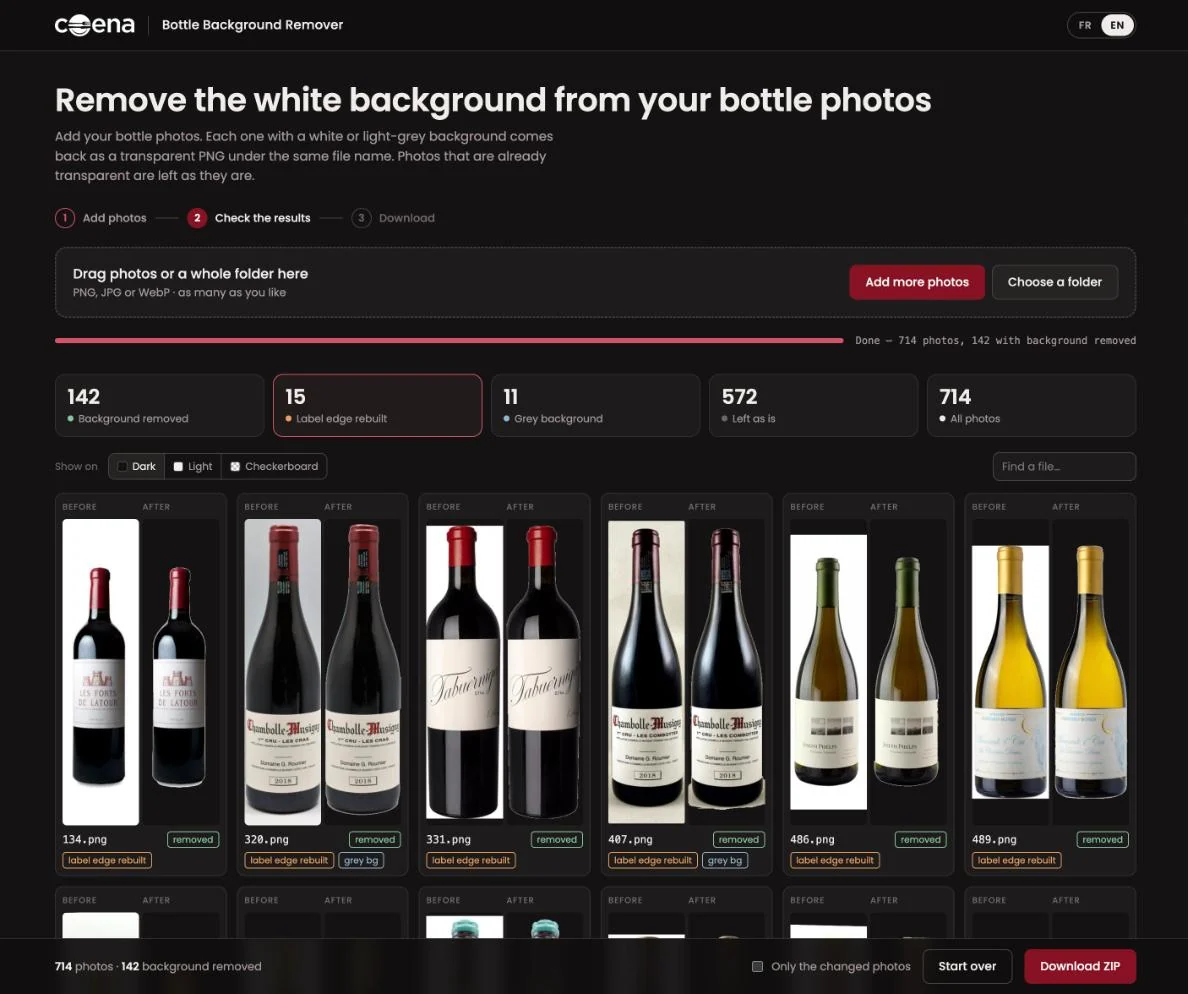
On a recent wine list of 714 bottle photos, 142 still had a white or light-grey background. The app found all of them, cleaned them and left the other 572 untouched, in under half a minute.
Three steps
- Add your photos. Drag them, or a whole folder, onto the page. PNG, JPG and WebP files all work.
- Check the result. Each bottle is shown before and after, on a dark, light or checkerboard background, so a leftover white edge or a missing piece of label stands out at once. Filters show the photos that were changed, those with a rebuilt label edge, and those left as they were. If a result doesn’t convince you, one click keeps the original instead.
- Download. You get a ZIP with every photo under its original file name, ready to go back into your list, plus a short report of what was changed.
Your photos stay on your computer
The app runs entirely in your browser. Your photos are not uploaded to COENA or anywhere else: they are processed on your own computer and never leave it. There is no account to create and nothing to install.
What it does not do
It is built for one job: bottle photos on a white or light-grey background. It does not cut a bottle out of a busy background, such as a bottle on a table or in a cellar, and it does not retouch the photo itself. When the edge of a photo is not white or light grey, the app leaves it as it is rather than guess. That way it never damages a photo that was already fine.
Where to find it
Bottle Background Remover is free and available in English and French at coena.fr/BottlesBackgroundRemover. Open it in a recent browser on a computer, add your photos, and check the result before you download. If a photo doesn’t come out the way you expected, send it to us and we’ll take a look.