
A question never arrives at a good moment. It arrives at 8:40 on a Saturday, with the dining room full, a table waiting on a recommendation and a wine that should have come off the list an hour ago. The sommelier knows exactly what they want the list to do. They just aren’t sure, right now, how to get the iPad wine list to do it, and there is nobody to ask for help.
Until now, the answer to that moment was the same as with any software: write an email, look for a phone number, wait. In practice, that means nothing happens until the next morning, and the list carries the problem through the rest of service.
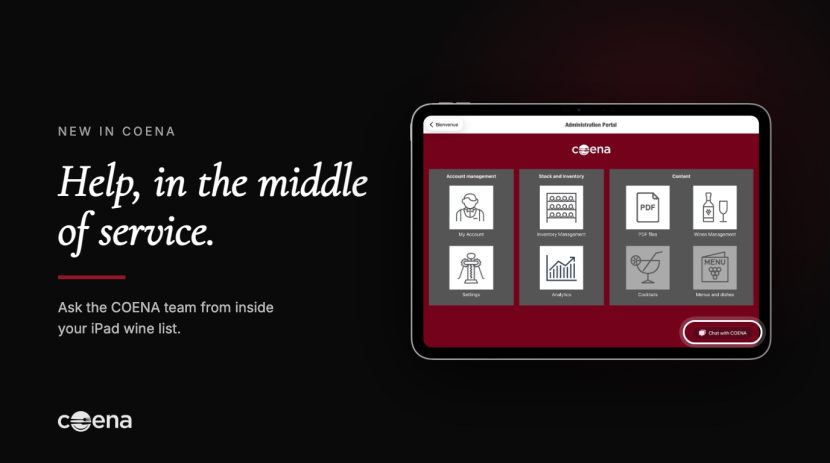
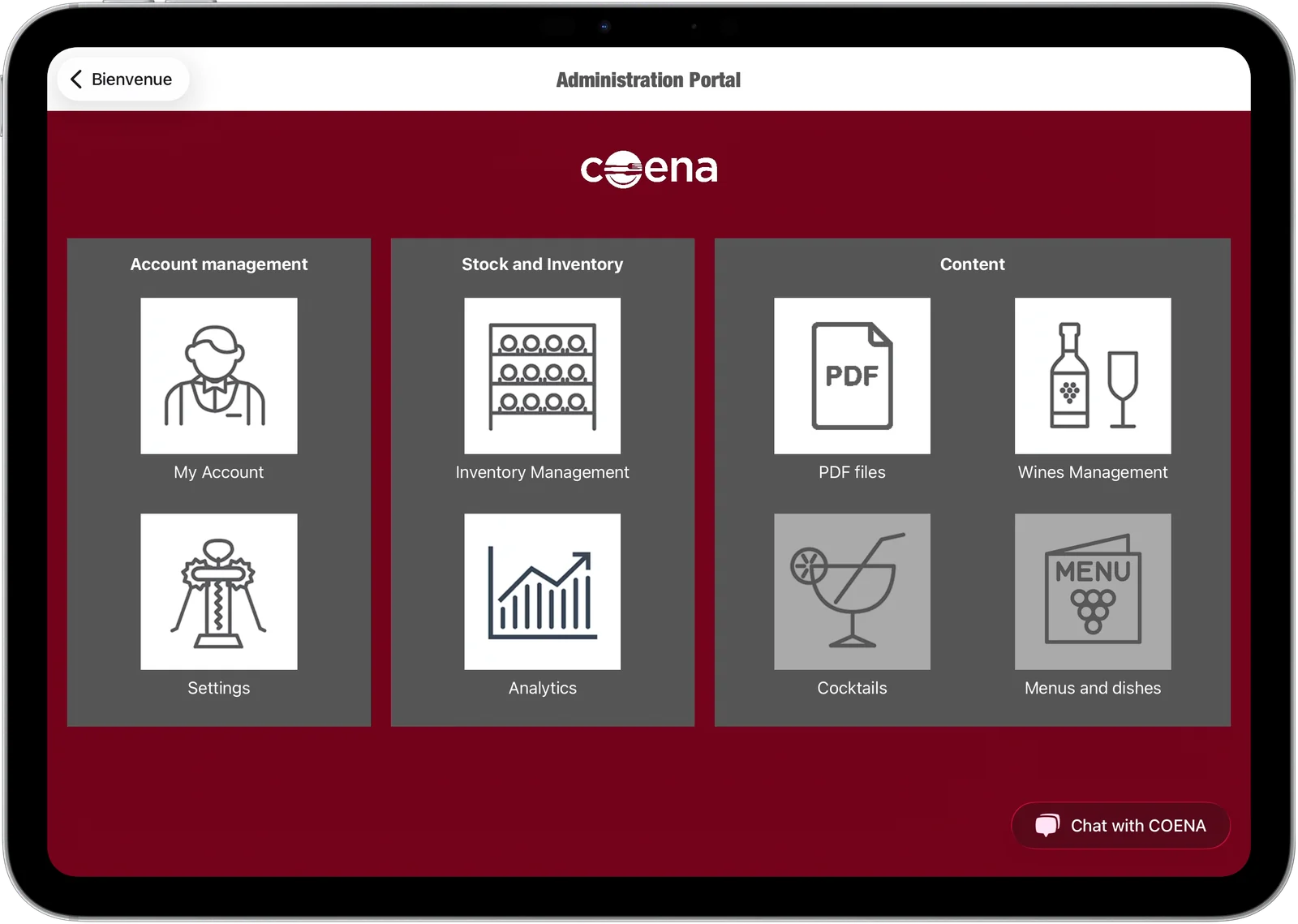
From now on, help is inside the iPad wine list itself. In the COENA administration portal there is a Chat with COENA button, and on the other end is the COENA team.
From the guest’s screen to the team, in two gestures
The person who needs help is standing in the dining room with the iPad in hand, not sitting at a desk. So the path has to start where they are.
From the guest-facing wine list, a three-finger swipe down opens the administration portal, which is the same move staff already use to update a price or a stock count during service. The Chat with COENA button sits at the bottom right of the portal’s home screen. One tap and the conversation opens, without leaving the app, changing device or hunting for an address.
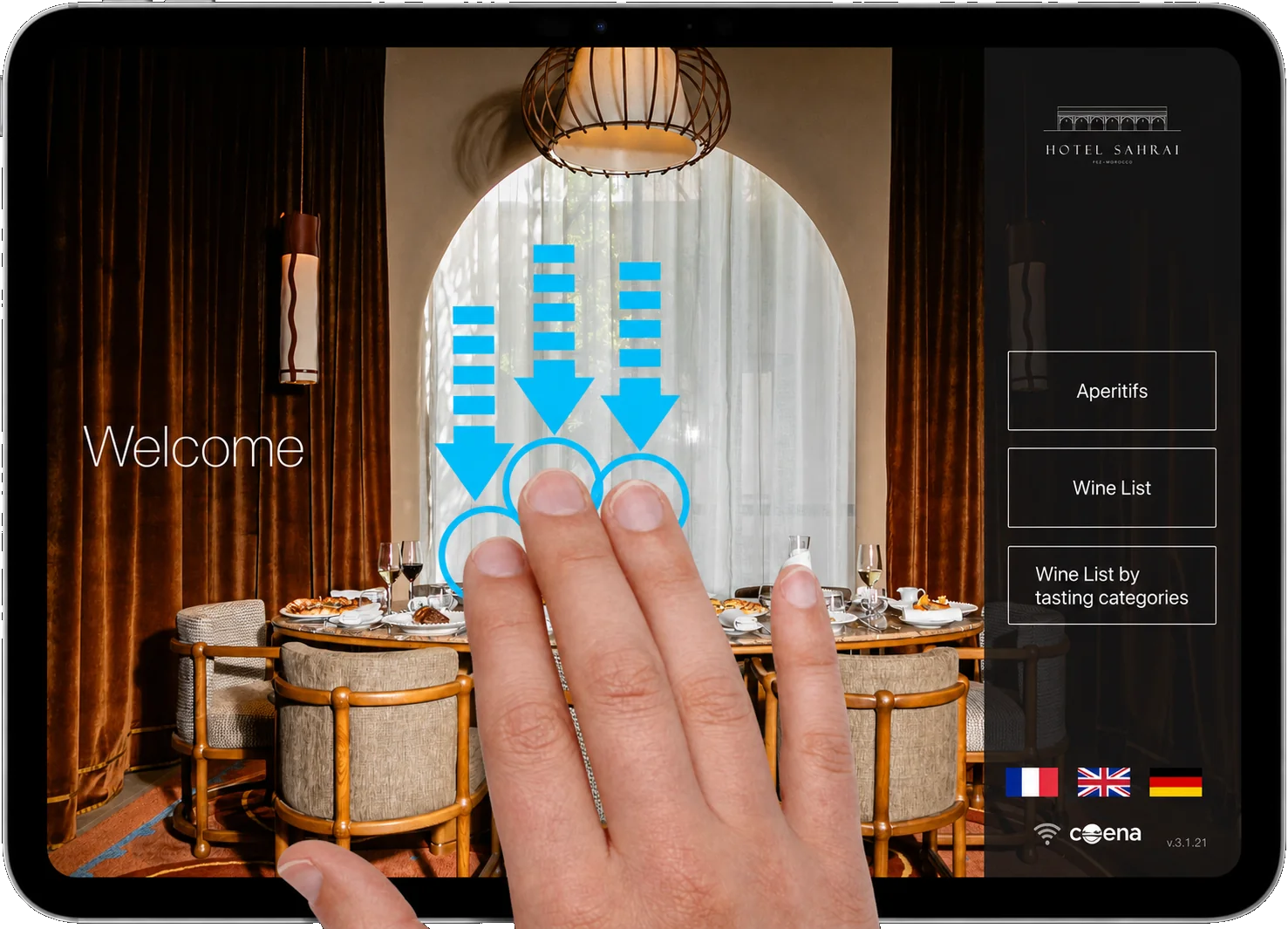
From the customer screen, swiping down with three fingers opens the administration portal.
A person, not a bot
We made one deliberate choice: there is no chatbot reciting help articles. A message sent from the app reaches the COENA team, and someone who knows the product replies.
And if nobody can pick up straight away, leave your email address in the conversation. The answer will be waiting in your inbox, so the question doesn’t get lost in the rush of service.
That matters because the questions sommeliers and F&B managers actually ask are rarely in a FAQ. They are specific to their house, their list and that evening:
- “I need a tasting menu with a wine pairing at four price points. How do I set it up?”
- “A guest asked for a magnum we’re showing as out of stock. Is it the count or the display?”
- “I want to move this wine from by-the-bottle to by-the-glass for tonight only.”
- “Why isn’t my new cuvée showing in the German version of the list?”
The first one is not invented. A restaurant sent us almost exactly that message through the app this summer, four prices included, and was talking to someone on the team within a minute.
Why this belongs in the wine list and not on a support page
Everything COENA does rests on one idea: a wine list should keep up with the house, and not the other way round. The chef changes a dish, a grower drops an allocation, the last bottle of a by-the-glass wine goes. The list has to follow straight away, without anyone leaving the floor.
Being able to change everything from the iPad only helps if you know how. The chat closes that gap. The sommelier keeps control of their list. If they hit an obstacle, they no longer have to choose between solving it now and serving the table in front of them.
It also changes who is allowed to touch the list. In many houses, the list stays untouched once the head sommelier has gone home, because nobody else is sure how to change it. With a direct line to the team, a floor manager or a junior sommelier can make the change themselves rather than leave the mistake on the table until the next day.
What the chat does not do
It does not choose your wines, suggest pairings to your guests or write your list. That work belongs to the sommelier, and COENA is built so that the sommelier has more time for it, not less. The chat is there so that the tool never stands between them and the service.
Where to find it
The Chat with COENA button is available in the administration portal of the COENA app on iPad. If you don’t see it yet, update the app from the App Store. And if you have a question about your list tonight, ask it there.